


Items marked by the "Control4" tag:
Articles
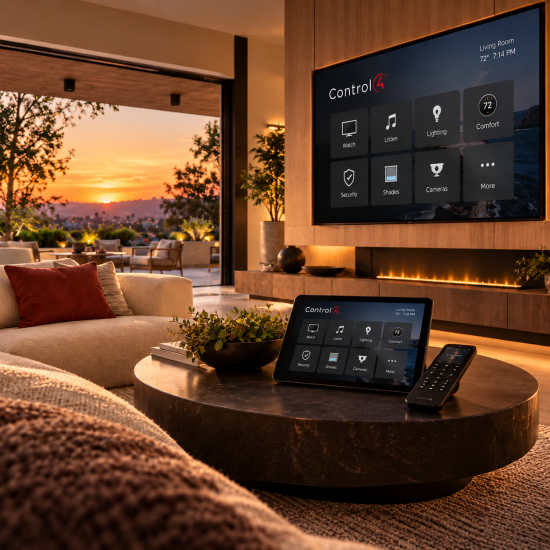
NEW RELEASE / CONTROL4 X4 / OCTOBER 2026CONTROL4 X4 OS 4.3 IS HERESmarter security. More connected devices. A better Control4 experience.Discover enhanced surveillance, new Zigbee 3.0 integrations, easier navigation, and thoughtful improvements throughout the home.REQUEST AN UPGRADEEXPLORE PROGRAMMING A smarter connected homeOne home. More possibilities.Control4 X4 OS 4.3 expands the devices that can work together in your home while refining the experience you use every day. Select certified third-party Zigbee 3.0 products can now join supported Control4 projects, surveillance controls are more accessible, and navigation, lighting, and audio interfaces receive thoughtful updates. 01 / COMPATIBILITYMore Zigbee 3.0 devicesNew drivers introduce support for select certified Kwikset and Yale smart locks, with Somfy shade support planned. 02 / SECURITYEnhanced SurveillanceThe updated camera experience is now standard for X4 customers on OS 4.3 and later, with contextual Quick Actions. 03 / COMMUNICATIONCommunication V2Updated communications architecture supports the next generation of door stations and video doorbells. 04 / INTERFACENavigation everywherePersistent Home and Rooms navigation makes moving through the system easier on phones, tablets, and touchscreens. 05 / PERSONALIZATIONBetter everyday controlsA new Dimmer widget, clearer Settings categories, and taller volume controls simplify common tasks. 06 / MAINTENANCEReliability improvementsUpdates across Director, lighting, audio, wireless meshes, and the controller update process strengthen the platform. Expanded integrationNew doors open with Zigbee 3.0OS 4.3 adds support for select certified Zigbee 3.0 devices from other manufacturers through Control4-provided drivers. The initial integrations include supported Kwikset and Yale smart locks, with Somfy shades expected to follow. That means more opportunities to bring locks, shades, and other connected devices into one coordinated Control4 system.Compatibility matters: Zigbee 3.0 support does not mean every Zigbee 3.0 product works automatically. Supported models require the appropriate Control4 driver and compatible system configuration. A broader third-party developer SDK is planned for 2027. Smarter securityEnhanced Surveillance is now the standardThe Enhanced Surveillance Experience moves from optional preview to the default X4 camera interface for systems running OS 4.3 or later. Live camera views can put useful Quick Actions—such as nearby lighting, locks, or garage-door controls—within easy reach, so responding to activity around your property feels more natural.Communication V2 also lays the groundwork for the new Control4 door station and video doorbell experience, including two-way talk directly from supported live camera views. Support for upcoming products, including the Control4 Chime Pro Video Doorbell, is part of this release's forward-looking foundation. Simpler to useHome and Rooms, always within reachWith OS 4.3, the navigation bar stays visible across most screens, eliminating repeated taps of the Back button. On portrait phones and tablets it appears at the bottom; on T4 and T5 touchscreens and certain landscape layouts it moves to the side. Full-screen experiences, such as a full-screen camera view, remain immersive.Persistent navigation in portrait view • Control4Side navigation in landscape view • Control4 A cleaner experienceSettings that make more senseReorganized Settings group related options into clearer categories, including Property and Accounts, Users and Roles, Network and Connectivity, Accessibility, Display and Interaction, and System and Maintenance. Updated visual cues and a clearer property connection status help make the system easier to manage.Updated Settings on mobile • Control4Updated Settings on a larger display • Control4 Lighting made easyDim the lights without leaving your screenThe new Dimmer widget gives you direct control over a chosen light from the Home screen or a room or activity screen. Tap to switch the light on or off, or tap the brightness indicator to reveal an in-place dimming slider. It's a small change that makes a frequently used action feel faster.New Dimmer widget • Control4Brightness adjustment from the current screen • Control4 Audio refinementsVolume control with a clearer viewNow Playing and Sessions feature taller volume controls with the volume percentage visible even when you're not adjusting it. Familiar slider behavior remains, while the updated presentation makes it easier to check levels at a glance.Updated volume control • Control4Volume percentage stays visible • Control4 Easier upkeepReplacing a Vibrant bulb is simplerFor supported Vibrant smart bulbs, OS 4.3 adds a guided replacement process that can preserve the bulb's place in an existing group without rebuilding it. In the Control4 app, navigate to Settings → System & Maintenance → Devices → Replace Bulb → Replace Vibrant Bulb.Turn off power to the light.Scan or enter the existing bulb's ID.Scan or enter the replacement bulb's ID.Install the matching replacement, restore power, and finish setup.The replacement must be the same bulb type and must not already belong to another mesh. Firmware updates may cause temporary flickering or changes in brightness or color; full functionality can take up to 10 minutes. Behind the scenesBuilt for a more dependable smart homeBeyond visible features, OS 4.3 includes stability and reliability improvements across Control4 Director, lighting, audio, Zigbee and Z-Wave networks, and the controller update process. These foundational changes help support a smoother day-to-day experience across a professionally configured home.Considering an upgrade? Control4 X4 and OS 4.3 require compatible controllers, interfaces, drivers, and connected devices. An existing OS 3 system may need hardware updates or additional programming before migration. Review compatibility and back up the project before upgrading. AUTOMATED NOW • CONTROL4 SPECIALISTSReady to bring Control4 X4 4.3 home?Whether you're already using X4 or considering an upgrade from an older Control4 system, Automated Now can evaluate your equipment, review integration compatibility, and help plan the right programming and upgrade path—often with convenient remote support.REQUEST YOUR CONTROL4 UPGRADEEXPLORE PROGRAMMING SERVICES Product features and availability vary by hardware, driver, and configuration. Upcoming product support and developer SDK timelines are subject to change. Screenshots and product names courtesy of Control4 / Snap One. This article is an independent Automated Now overview based on Control4 OS 4.3 release information.
As we continue to navigate the waters of this global health crisis, communities worldwide are all making an effort to flatten the curve. For those of us who are not essential workers, this means practicing social distancing and quarantining at home. And for those looking for more ways to help out from home, there’s still plenty we can do. To help keep homes clean and disinfected, the CDC recommends not using frequently-touched surfaces—or avoiding contact with them altogether. Of course, this is easier said than done, as we all must eventually touch doorknobs, toilets, sinks, etc. There are, however, other areas in the home that can be easily automated to cut down on physical contact and help reduce the spread of germs—and the smart home is helping to make it happen. By adding a new layer of smart home technology to already installed smart home systems, dealers and integrators can help their customers automate their daily routines to help reduce contact with frequently-touched surfaces, like light switches, thermostats, entertainment consoles, and more. TOUCH-FREE AUTOMATION IN THE SMART HOME Most prominently, voice assistants, like Amazon Alexa, Google Assistant, and Apple Siri, have put the convenience of hands-free smart home control in the grasp of any user who wants it. With just a voice command, users can tell their virtual assistants to adjust smart lights, smart thermostats, connected entertainment, and more, eliminating the need to come into contact with highly trafficked surfaces. However, these smart assistants are still not intelligent enough to pick up every voice command correctly, so users will have to be conscious of their word choice, enunciation, and volume when issuing commands. Of course, there are other ways to go hands-free in the smart home. Motion sensors are another smart home technology that has long been used by smart home fans to control their home’s smart infrastructure. But like virtual assistants, this smart technology isn’t without fault and still leaves large room for error. For instance, motion sensors can be triggered by almost any kind of errant motion, such as that of a wandering pet. So, while motion sensors may be one way to help end-users bring hands-free automation to their homes, these sensors are also opening the door for ‘dumb’ smart home mistakes, e.g., their smart lights may conveniently turn off when they walk out of the room, but they may also unexpectedly turn off when their cat or dog ambles out of the room. HANDS- AND HASSLE-FREE Consider a smart home ecosystem comprising smart lights, smart thermostats, and connected entertainment. Users can control all of these components without coming into contact with frequently-touched surfaces, but they must do so by voicing a command aloud or walking by a motion sensor. And both of these options come with limitations. It is, indeed, possible to attain hands-free automation by outfitting your smart home system with a virtual assistant and/or motion sensors, but the convenience of automation that these devices deliver doesn’t come without hassle. For smart home fans who are looking for a way to truly automate their homes for completely touch-free control without the hassle of temperamental voice assistants or finnicky motion sensors, they need a new kind of smart home technology that can offer a more sophisticated means of control—and dealers and integrators can deliver with presence-sensing technology. Presence-sensing technology (PST) is leading a new trend of fully-automated, hands-free smart home systems. This technology is deployed via a new breed of smart home sensors: the true occupancy automation sensor, which identifies an individual’s specific presence in a room and triggers smart home devices to instantly tune to the individual’s personal preferences—no touch, voice command, or motion sensor required. Presence-sensing technology uses the unique Bluetooth signatures of individuals’ matched smartphones to sense who is and isn’t in which specific room(s) of the house and to then trigger personalized smart home scenes. Unlike virtual assistants or motion sensors, presence-sensing technology enables end-users to control their smart home ecosystem hands-free and voice-free—and without having to worry about your dog or cat tripping the settings. Smart home automation has been a growing trend in the last few years, but now more than ever it has come to the forefront of the industry as a way for people staying at home to do their part to help reduce the spread of germs—and just in time, too, as there has never before been a technology that can deliver automation that’s both hands-free and hassle-free.