


CONTROL4 X4 OS 4.3 IS HERE
Smarter security. More connected devices. A better Control4 experience.
Discover enhanced surveillance, new Zigbee 3.0 integrations, easier navigation, and thoughtful improvements throughout the home.
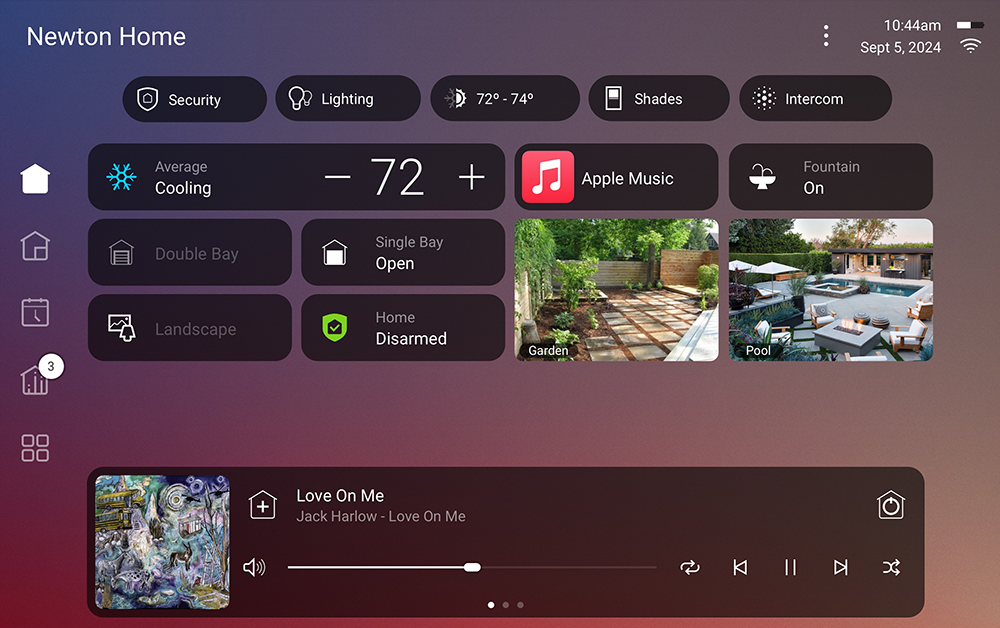
One home. More possibilities.
Control4 X4 OS 4.3 expands the devices that can work together in your home while refining the experience you use every day. Select certified third-party Zigbee 3.0 products can now join supported Control4 projects, surveillance controls are more accessible, and navigation, lighting, and audio interfaces receive thoughtful updates.
More Zigbee 3.0 devices
New drivers introduce support for select certified Kwikset and Yale smart locks, with Somfy shade support planned.
Enhanced Surveillance
The updated camera experience is now standard for X4 customers on OS 4.3 and later, with contextual Quick Actions.
Communication V2
Updated communications architecture supports the next generation of door stations and video doorbells.
Navigation everywhere
Persistent Home and Rooms navigation makes moving through the system easier on phones, tablets, and touchscreens.
Better everyday controls
A new Dimmer widget, clearer Settings categories, and taller volume controls simplify common tasks.
Reliability improvements
Updates across Director, lighting, audio, wireless meshes, and the controller update process strengthen the platform.
New doors open with Zigbee 3.0
OS 4.3 adds support for select certified Zigbee 3.0 devices from other manufacturers through Control4-provided drivers. The initial integrations include supported Kwikset and Yale smart locks, with Somfy shades expected to follow. That means more opportunities to bring locks, shades, and other connected devices into one coordinated Control4 system.
Enhanced Surveillance is now the standard
The Enhanced Surveillance Experience moves from optional preview to the default X4 camera interface for systems running OS 4.3 or later. Live camera views can put useful Quick Actions—such as nearby lighting, locks, or garage-door controls—within easy reach, so responding to activity around your property feels more natural.
Communication V2 also lays the groundwork for the new Control4 door station and video doorbell experience, including two-way talk directly from supported live camera views. Support for upcoming products, including the Control4 Chime Pro Video Doorbell, is part of this release's forward-looking foundation.
Home and Rooms, always within reach
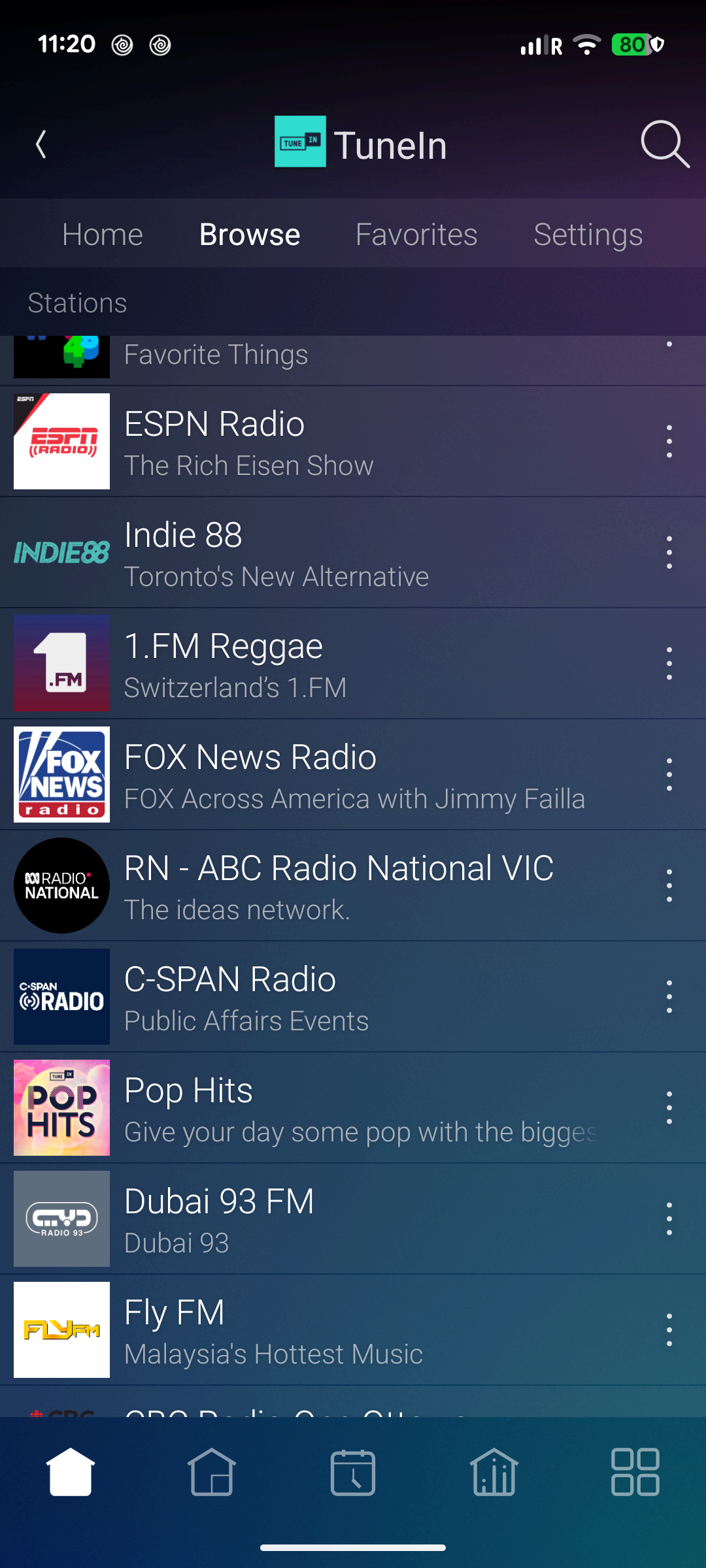
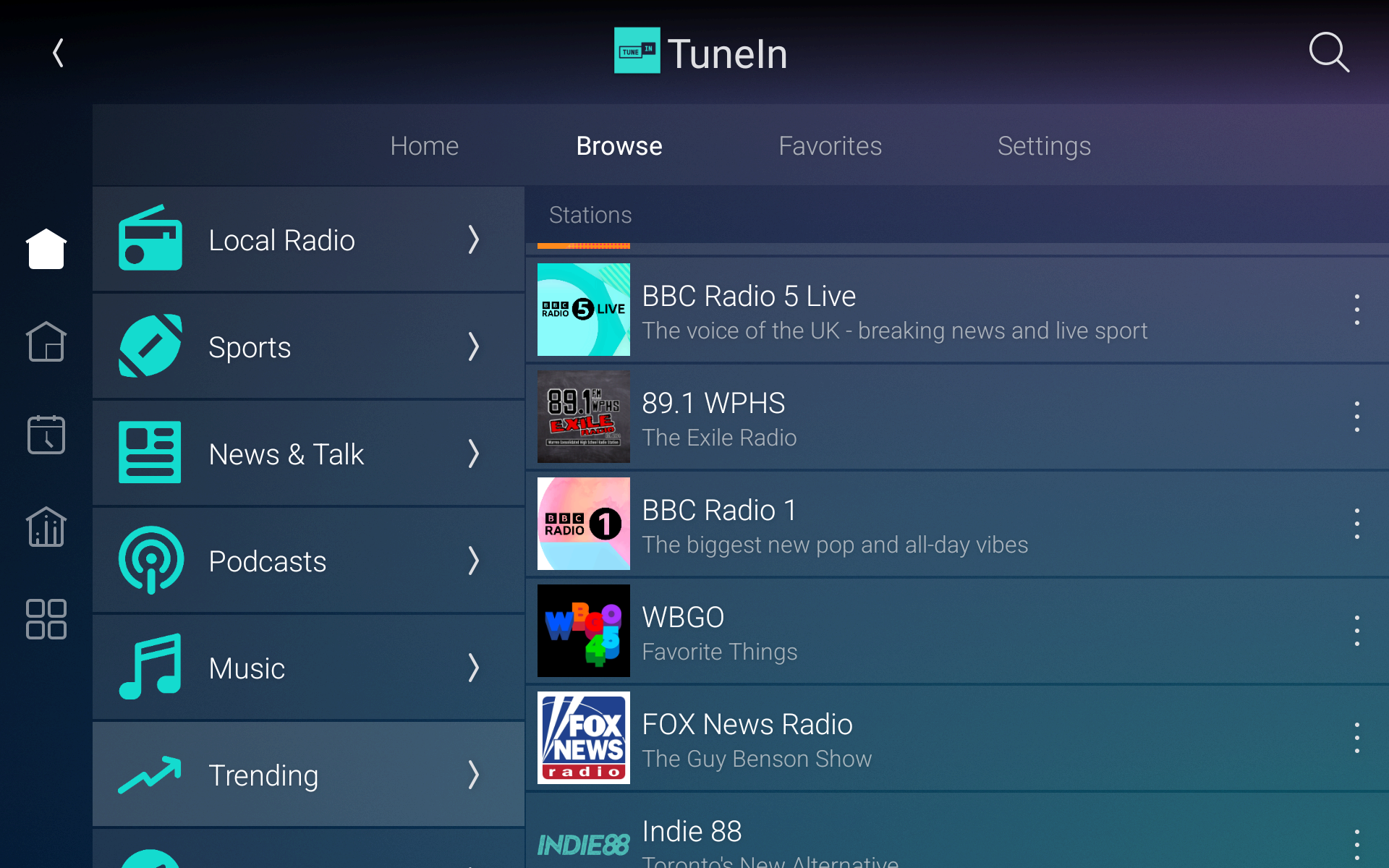
With OS 4.3, the navigation bar stays visible across most screens, eliminating repeated taps of the Back button. On portrait phones and tablets it appears at the bottom; on T4 and T5 touchscreens and certain landscape layouts it moves to the side. Full-screen experiences, such as a full-screen camera view, remain immersive.
Settings that make more sense
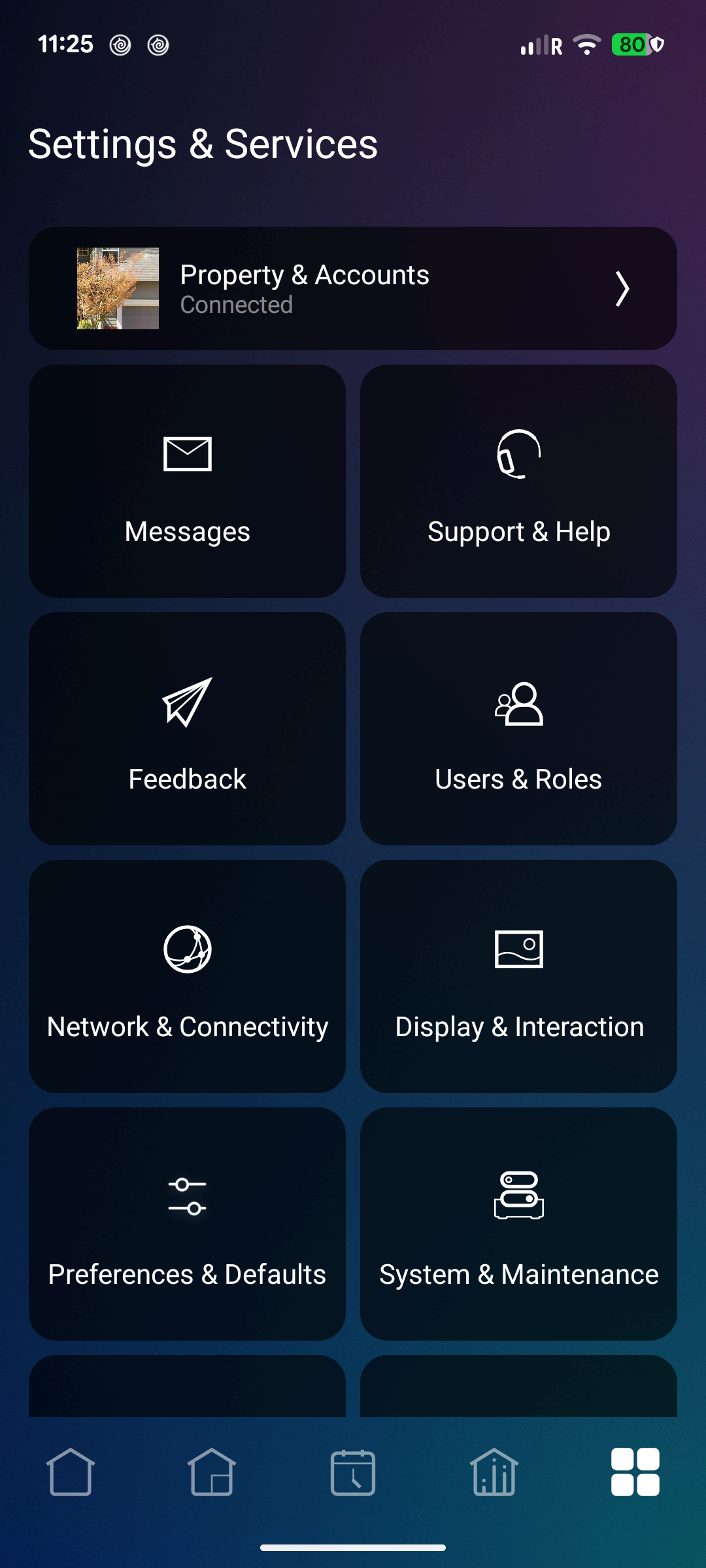
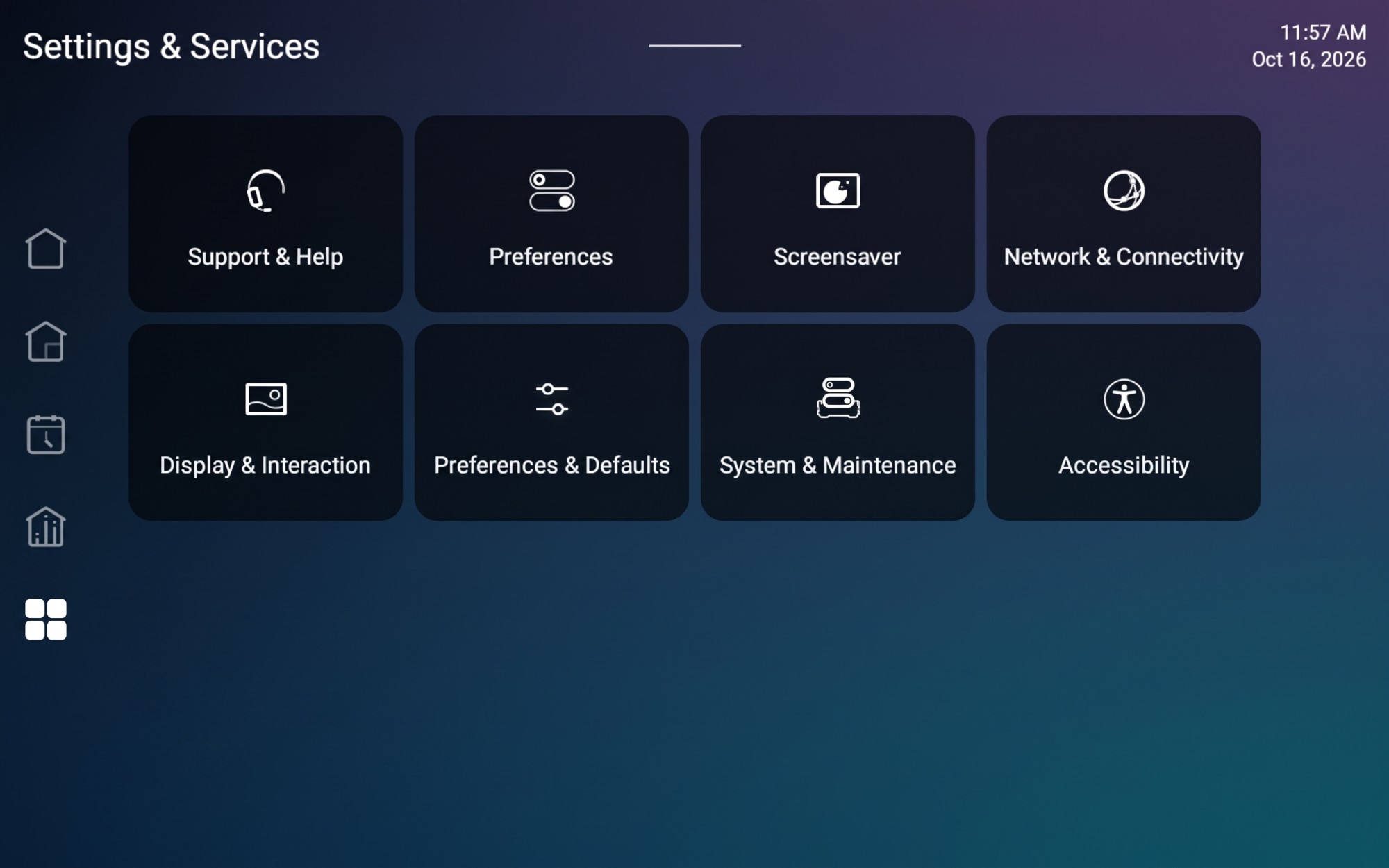
Reorganized Settings group related options into clearer categories, including Property and Accounts, Users and Roles, Network and Connectivity, Accessibility, Display and Interaction, and System and Maintenance. Updated visual cues and a clearer property connection status help make the system easier to manage.
Dim the lights without leaving your screen
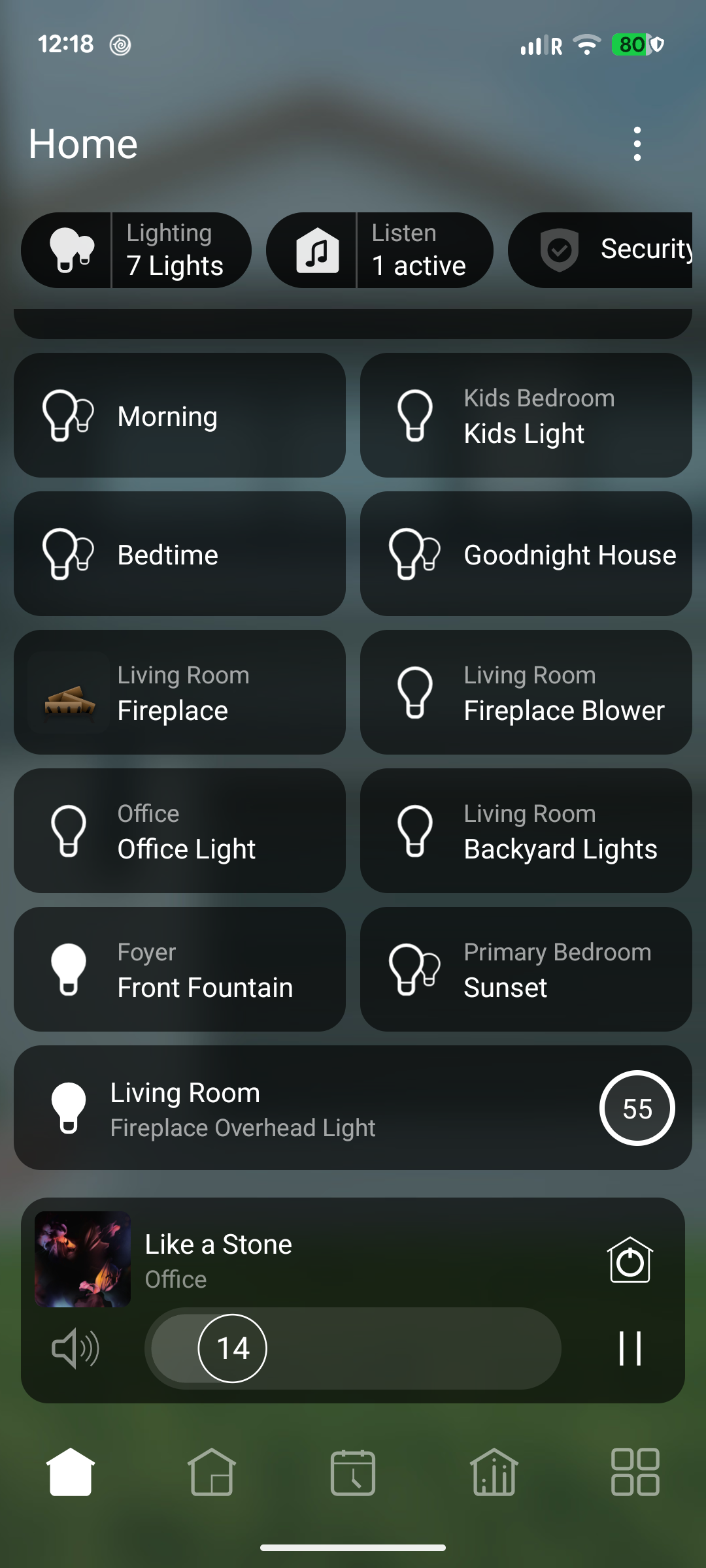
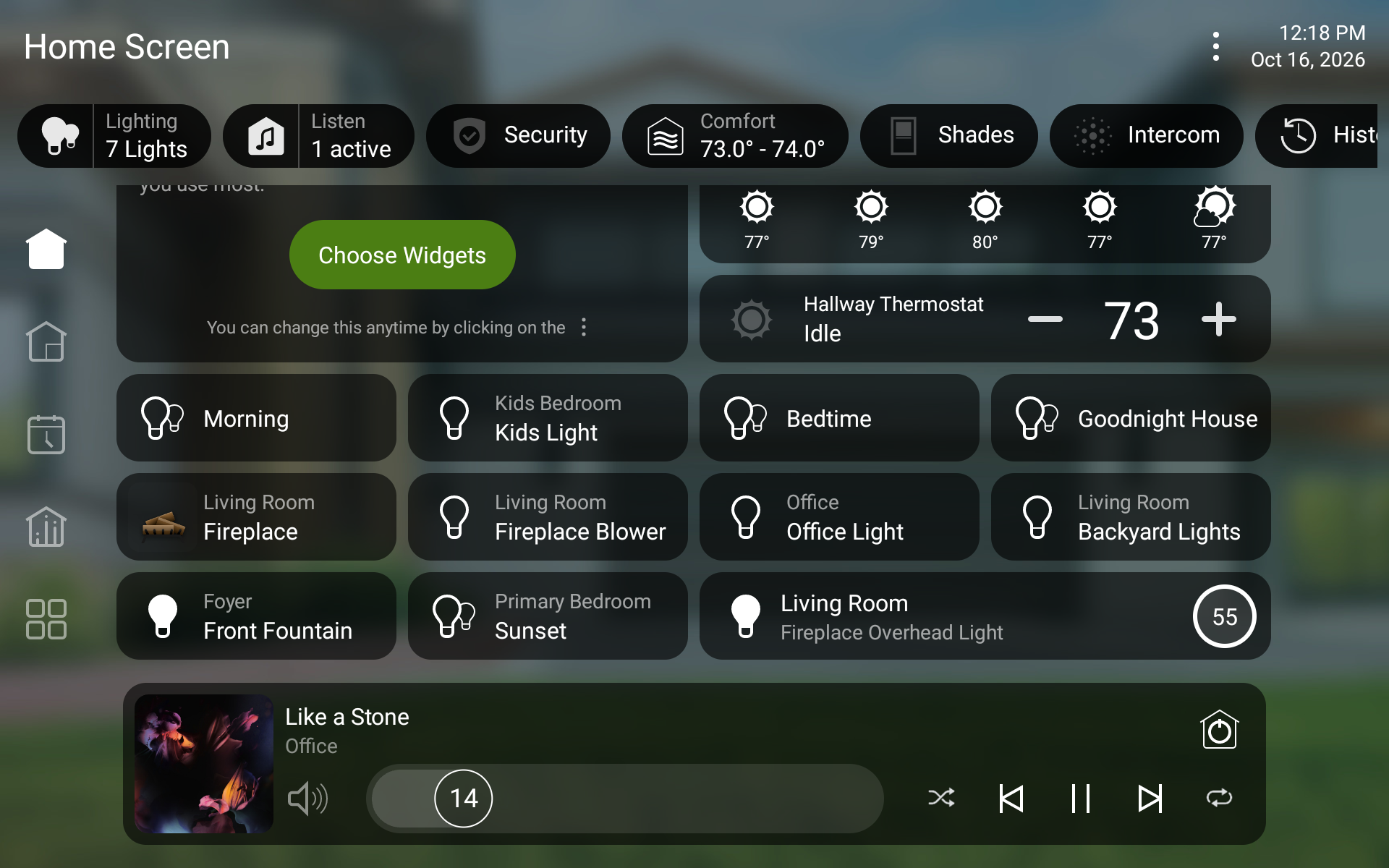
The new Dimmer widget gives you direct control over a chosen light from the Home screen or a room or activity screen. Tap to switch the light on or off, or tap the brightness indicator to reveal an in-place dimming slider. It's a small change that makes a frequently used action feel faster.
Volume control with a clearer view
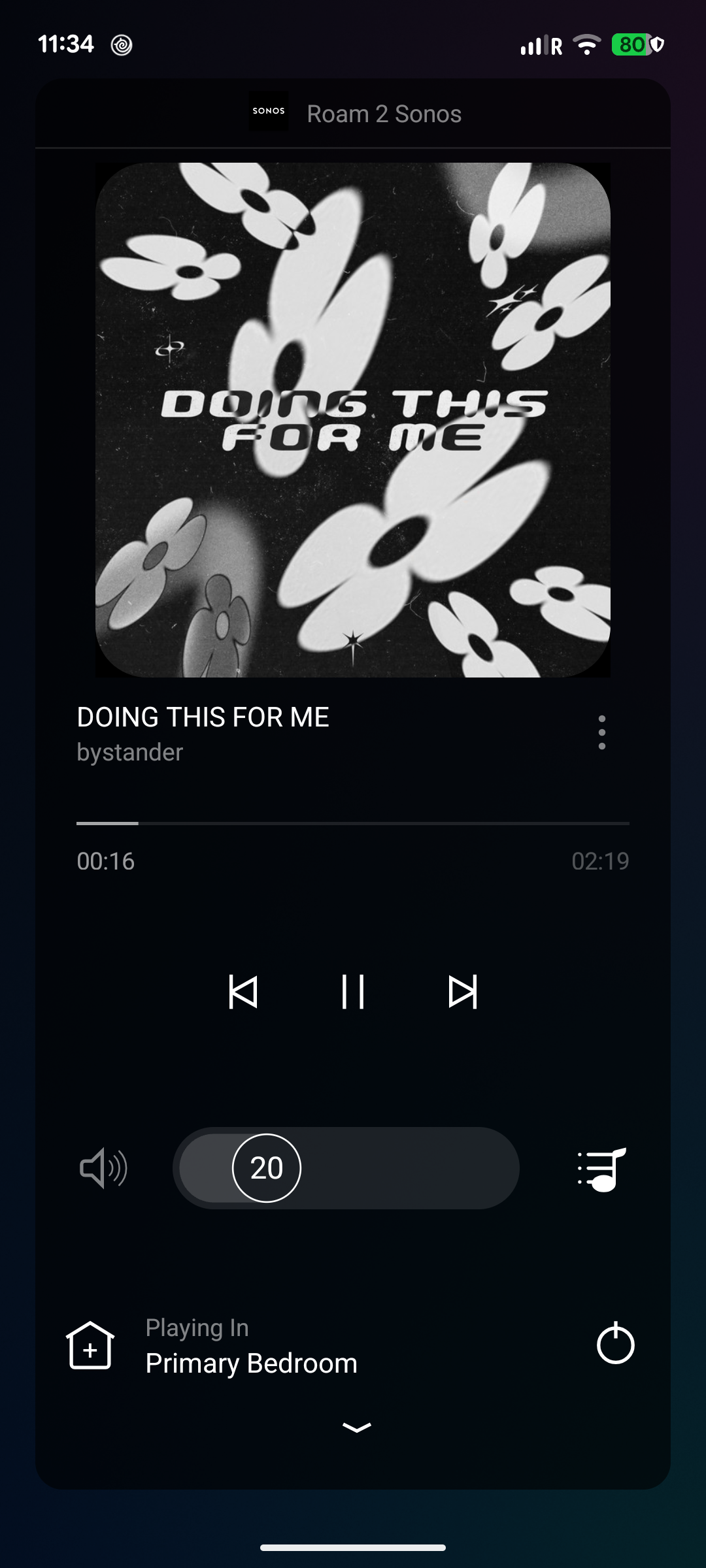
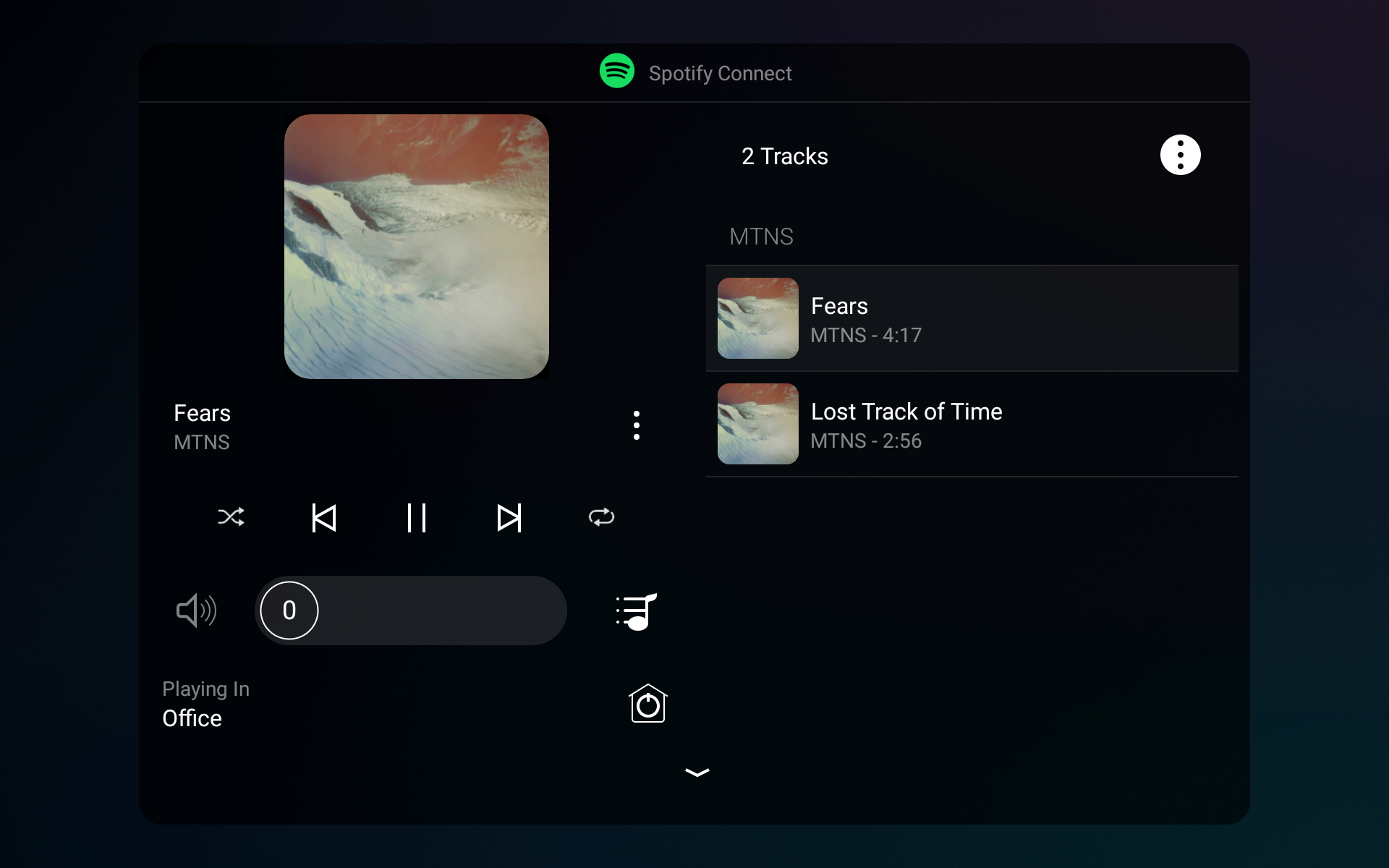
Now Playing and Sessions feature taller volume controls with the volume percentage visible even when you're not adjusting it. Familiar slider behavior remains, while the updated presentation makes it easier to check levels at a glance.
Replacing a Vibrant bulb is simpler
For supported Vibrant smart bulbs, OS 4.3 adds a guided replacement process that can preserve the bulb's place in an existing group without rebuilding it. In the Control4 app, navigate to Settings → System & Maintenance → Devices → Replace Bulb → Replace Vibrant Bulb.
- Turn off power to the light.
- Scan or enter the existing bulb's ID.
- Scan or enter the replacement bulb's ID.
- Install the matching replacement, restore power, and finish setup.
The replacement must be the same bulb type and must not already belong to another mesh. Firmware updates may cause temporary flickering or changes in brightness or color; full functionality can take up to 10 minutes.
Built for a more dependable smart home
Beyond visible features, OS 4.3 includes stability and reliability improvements across Control4 Director, lighting, audio, Zigbee and Z-Wave networks, and the controller update process. These foundational changes help support a smoother day-to-day experience across a professionally configured home.
Ready to bring Control4 X4 4.3 home?
Whether you're already using X4 or considering an upgrade from an older Control4 system, Automated Now can evaluate your equipment, review integration compatibility, and help plan the right programming and upgrade path—often with convenient remote support.
Product features and availability vary by hardware, driver, and configuration. Upcoming product support and developer SDK timelines are subject to change. Screenshots and product names courtesy of Control4 / Snap One. This article is an independent Automated Now overview based on Control4 OS 4.3 release information.