


Items marked by the "Programming" tag:
Products
Articles
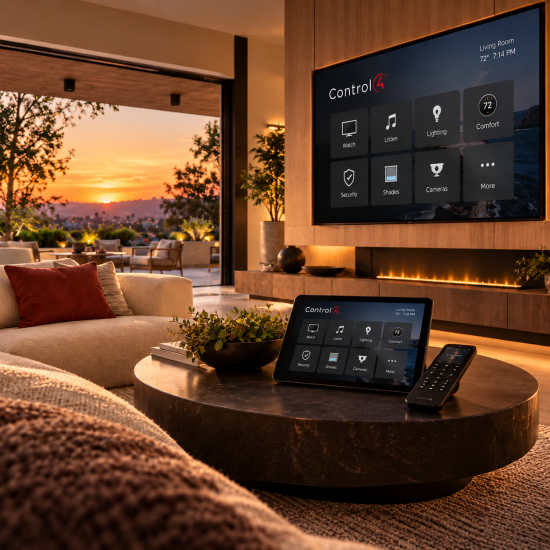
NEW RELEASE / CONTROL4 X4 / OCTOBER 2026CONTROL4 X4 OS 4.3 IS HERESmarter security. More connected devices. A better Control4 experience.Discover enhanced surveillance, new Zigbee 3.0 integrations, easier navigation, and thoughtful improvements throughout the home.REQUEST AN UPGRADEEXPLORE PROGRAMMING A smarter connected homeOne home. More possibilities.Control4 X4 OS 4.3 expands the devices that can work together in your home while refining the experience you use every day. Select certified third-party Zigbee 3.0 products can now join supported Control4 projects, surveillance controls are more accessible, and navigation, lighting, and audio interfaces receive thoughtful updates. 01 / COMPATIBILITYMore Zigbee 3.0 devicesNew drivers introduce support for select certified Kwikset and Yale smart locks, with Somfy shade support planned. 02 / SECURITYEnhanced SurveillanceThe updated camera experience is now standard for X4 customers on OS 4.3 and later, with contextual Quick Actions. 03 / COMMUNICATIONCommunication V2Updated communications architecture supports the next generation of door stations and video doorbells. 04 / INTERFACENavigation everywherePersistent Home and Rooms navigation makes moving through the system easier on phones, tablets, and touchscreens. 05 / PERSONALIZATIONBetter everyday controlsA new Dimmer widget, clearer Settings categories, and taller volume controls simplify common tasks. 06 / MAINTENANCEReliability improvementsUpdates across Director, lighting, audio, wireless meshes, and the controller update process strengthen the platform. Expanded integrationNew doors open with Zigbee 3.0OS 4.3 adds support for select certified Zigbee 3.0 devices from other manufacturers through Control4-provided drivers. The initial integrations include supported Kwikset and Yale smart locks, with Somfy shades expected to follow. That means more opportunities to bring locks, shades, and other connected devices into one coordinated Control4 system.Compatibility matters: Zigbee 3.0 support does not mean every Zigbee 3.0 product works automatically. Supported models require the appropriate Control4 driver and compatible system configuration. A broader third-party developer SDK is planned for 2027. Smarter securityEnhanced Surveillance is now the standardThe Enhanced Surveillance Experience moves from optional preview to the default X4 camera interface for systems running OS 4.3 or later. Live camera views can put useful Quick Actions—such as nearby lighting, locks, or garage-door controls—within easy reach, so responding to activity around your property feels more natural.Communication V2 also lays the groundwork for the new Control4 door station and video doorbell experience, including two-way talk directly from supported live camera views. Support for upcoming products, including the Control4 Chime Pro Video Doorbell, is part of this release's forward-looking foundation. Simpler to useHome and Rooms, always within reachWith OS 4.3, the navigation bar stays visible across most screens, eliminating repeated taps of the Back button. On portrait phones and tablets it appears at the bottom; on T4 and T5 touchscreens and certain landscape layouts it moves to the side. Full-screen experiences, such as a full-screen camera view, remain immersive.Persistent navigation in portrait view • Control4Side navigation in landscape view • Control4 A cleaner experienceSettings that make more senseReorganized Settings group related options into clearer categories, including Property and Accounts, Users and Roles, Network and Connectivity, Accessibility, Display and Interaction, and System and Maintenance. Updated visual cues and a clearer property connection status help make the system easier to manage.Updated Settings on mobile • Control4Updated Settings on a larger display • Control4 Lighting made easyDim the lights without leaving your screenThe new Dimmer widget gives you direct control over a chosen light from the Home screen or a room or activity screen. Tap to switch the light on or off, or tap the brightness indicator to reveal an in-place dimming slider. It's a small change that makes a frequently used action feel faster.New Dimmer widget • Control4Brightness adjustment from the current screen • Control4 Audio refinementsVolume control with a clearer viewNow Playing and Sessions feature taller volume controls with the volume percentage visible even when you're not adjusting it. Familiar slider behavior remains, while the updated presentation makes it easier to check levels at a glance.Updated volume control • Control4Volume percentage stays visible • Control4 Easier upkeepReplacing a Vibrant bulb is simplerFor supported Vibrant smart bulbs, OS 4.3 adds a guided replacement process that can preserve the bulb's place in an existing group without rebuilding it. In the Control4 app, navigate to Settings → System & Maintenance → Devices → Replace Bulb → Replace Vibrant Bulb.Turn off power to the light.Scan or enter the existing bulb's ID.Scan or enter the replacement bulb's ID.Install the matching replacement, restore power, and finish setup.The replacement must be the same bulb type and must not already belong to another mesh. Firmware updates may cause temporary flickering or changes in brightness or color; full functionality can take up to 10 minutes. Behind the scenesBuilt for a more dependable smart homeBeyond visible features, OS 4.3 includes stability and reliability improvements across Control4 Director, lighting, audio, Zigbee and Z-Wave networks, and the controller update process. These foundational changes help support a smoother day-to-day experience across a professionally configured home.Considering an upgrade? Control4 X4 and OS 4.3 require compatible controllers, interfaces, drivers, and connected devices. An existing OS 3 system may need hardware updates or additional programming before migration. Review compatibility and back up the project before upgrading. AUTOMATED NOW • CONTROL4 SPECIALISTSReady to bring Control4 X4 4.3 home?Whether you're already using X4 or considering an upgrade from an older Control4 system, Automated Now can evaluate your equipment, review integration compatibility, and help plan the right programming and upgrade path—often with convenient remote support.REQUEST YOUR CONTROL4 UPGRADEEXPLORE PROGRAMMING SERVICES Product features and availability vary by hardware, driver, and configuration. Upcoming product support and developer SDK timelines are subject to change. Screenshots and product names courtesy of Control4 / Snap One. This article is an independent Automated Now overview based on Control4 OS 4.3 release information.
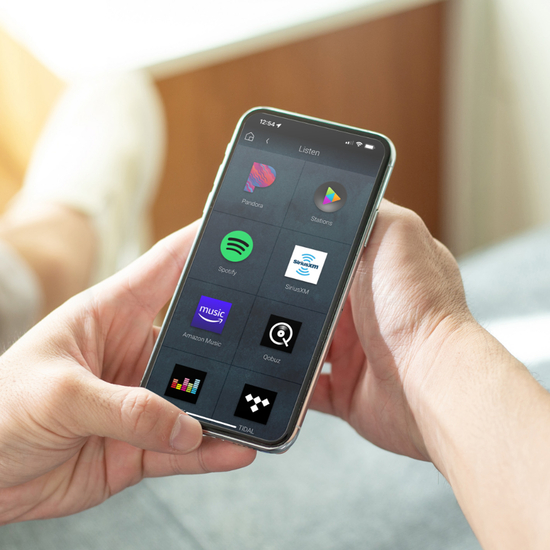
Pandora, fully updated and better than ever Pandora, one of the most popular streaming platforms, is now even better when streamed through your Control4 system. Our completely redesigned and rebuilt Pandora integration provides full support for Pandora’s library of on-demand content which is available using a Pandora Premium or Plus account, allowing you to enjoy your favorite music ad-free with full control on the device of your choosing. Premium and Plus account tiers also unlock additional features and capabilities like full search and browse functionality, the ability to create and share your own playlists, and add favorites to your collection for offline listening. Play your favorite content, such as individual tracks, albums, and playlists, or search and browse to find the perfect music to fit your mood. All of this can be done directly in the Control4 mobile app or on a touchscreen. On-demand entertainment is at your fingertips! The Control4 interface makes it easy to stream your favorite station, and then transfer it as you move to another room or share your playlist with multi-room audio. Intuitive controls make it easy to "pump up the bass" with a quick adjustment to the EQ or turn it down a bit across every room or in each room individually. That full functionality, plus Pandora's updated capabilities, is available to a full catalog of interactive devices: Control4 Touchscreens, the Neeo Remote, and the Control4 Apps for iOS and Android. You can also ask us about making that functionality available at the touch of a button or with the sound of your voice with integration through keypads, your favorite voice assistant, or your own personalized automated experiences.
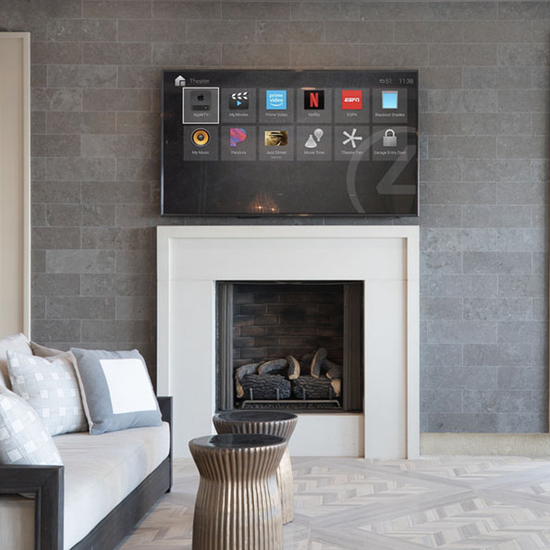
Here at Automated Now, we believe in pushing the limits of home automation systems and environments to deliver the best experience. That's why when building our driver marketplace we chose to represent only the best quality third party drivers for your Control4 system. Third party drivers often enhance the ability to control a particular piece of hardware or enhance core functionality of the base Control4 system. Our Kaleidescape driver is a premium product and deserves an excellent interface to match as such the Chowmain Kaleidescape driver for Control4 offers full movie and music library access on all Control4 user interfaces for any IP controlled Kaleidescape system along with an extensive list of automation features that make the integrated experience more rewarding. These are just some of the enahncements available to you when installing third party custom drivers for your Control4 system. Browse our selection and let us know what you think, when purchasing, you have the option to just purchase the driver or with installation, which enables one of our certified programmers to apply the driver and integrate it into your current Control4 project. Check back often as we will be updating our selection frequently.
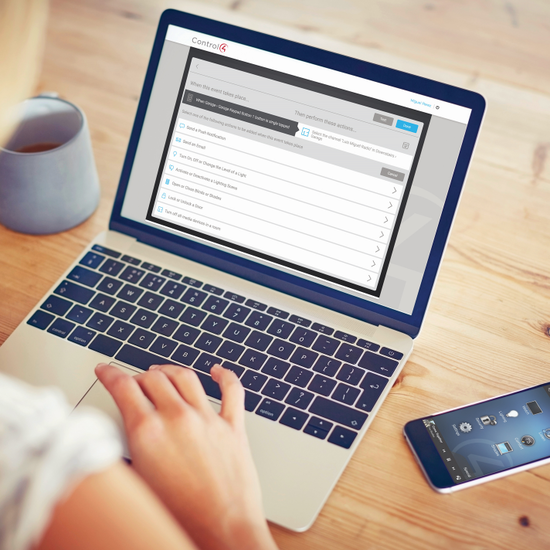
TIRED OF SCHEDULING IN-HOME SERVICE CALLS? In times when working remotely are now the standard, you can count on us. Let our certified and reliable Control4 programmers work offsite to complete your programming needs. Our group of technicians are experienced in troubleshooting, design, and creative automation solutions. In times when working remotely are the standard, you can now count on complex home automation services being made simple by the team at Automated Now. Register an account with us or if you aready have one, log in and head here to shop our Control4 programming services. HAVE AN EXISTING SYSTEM NEEDING UPDATES, CUSTOMIZATION, OR RESCUE? We can't tell you how many times we have heard... "I really love my Control4 system, but my previous dealer went out of business and my system hasn't been maintained/updated in years, can you help me?" The answer is yes! With our Control4 programming detective service, we will spend the time to completely analyze the status of your existing Control4 system from top to bottom. We also offer custom drivers and a specific service to update your older Control4 system to the shiny new OS 3.0+, it's really fantastic! HOW IT WORKS: Purchase the appropriate programming package from automatednow.com (specify client or project name, as well as installation date when possible) You will receive an e-mail with your confirmation and instructions. We will contact you for any further information, including project specifics, equipment, scheduling, etc. We will contact you to physically identify the device in question at the appropriate time. Once the project is completed and the client/installer is satisfied you will receive a project summary update along with a copy of the project file for your records. HAVE A SPECIAL REQUEST OR COMPLEX NEEDS? Request a quote *Upgrades and add-ons available. *Requires Control4 control system.
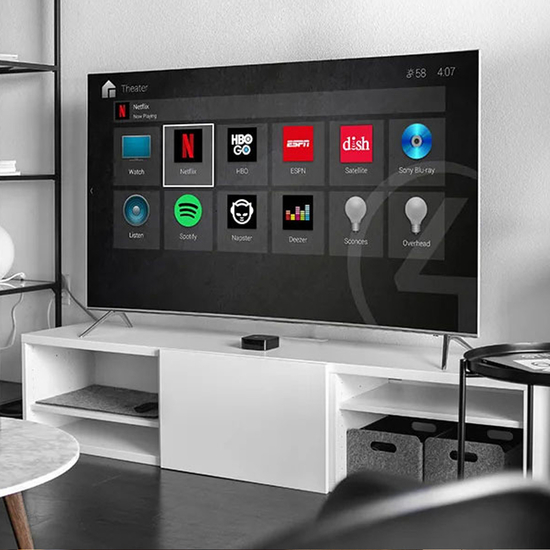
With over 1,000 new enhancements and features, Smart Home OS 3 makes navigating and interacting with your Control4 Smart Home faster, simpler, and more personal. OS 3 empowers you and your family like never before by giving you control over how your interface is organized. Control4 homeowners will enjoy how easy it is to swipe between Favorite Rooms and get at-a-glance status updates on favorite devices, scenes, and services. Lights, shades, media streaming services, security controls, cameras, thermostats – basically any device or service in your smart home OS can now be favorited, added or removed. With these new homeowner personalization features you and your family members will be able to more efficiently access the scenes and devices that are most important in each room or across the whole home. HIGHLIGHTS: Experience a modern and refined user interface whether on mobile devices (iOS and Android), touch screens, or televisions. Use Favorites to elevate the most important devices in your home and get one-touch access and at-a-glance views for every room. Create whole-home dashboards for at-a-glance views of the most vital devices of your home. For example, in the master bedroom, Favorite the external door locks, garage door, and security cameras to ensure your home is secure without having to leave your bed. Enjoy advanced security management with unified lock management. Lock users and PINs for all smart locks in a home are now easily managed through OS 3. Sort door locks, sensors, window shades, and lights with the new filtering function to make it much easier to find devices you’re looking without having to scroll through a long list. Enjoy the enhanced Active Media Bar and use whole-home Media Sharing and Media Session to easily control and view multi-room audio. Choose from a library, or upload your own photos, to create wallpaper backgrounds that match any home’s décor. Get support for high-fidelity MQA audio and enjoy incredible and lossless music playback.